

Easy posting
For-sale posts can start from photos: AI drafts title, category, condition, and description. Giveaways and wanted posts use a simpler manual flow.
For saleGiveawayWanted
Snap a photo and let AI help create your listing. From price suggestions to chat and trusted reviews, DUBU keeps secondhand trading easy from start to finish.
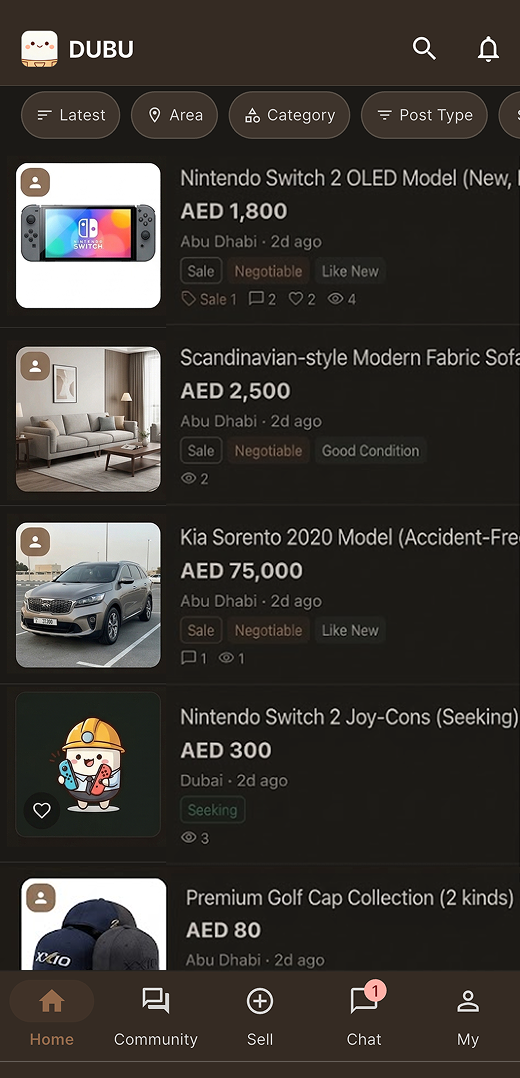
Sell, share, ask, or catch up on community news — pick whichever fits.
For-sale posts can start from photos: AI drafts title, category, condition, and description. Giveaways and wanted posts use a simpler manual flow.
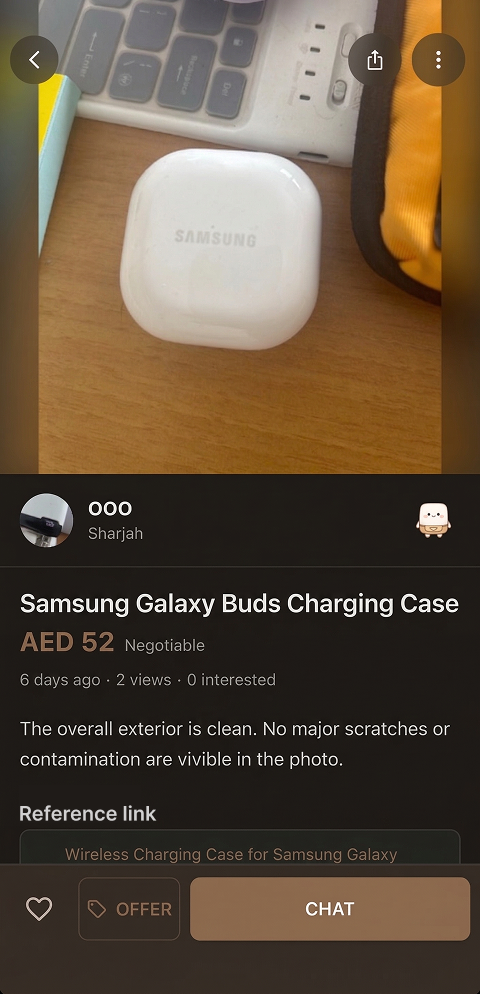
Find listings by region, category, and keyword, then continue the flow in the app.
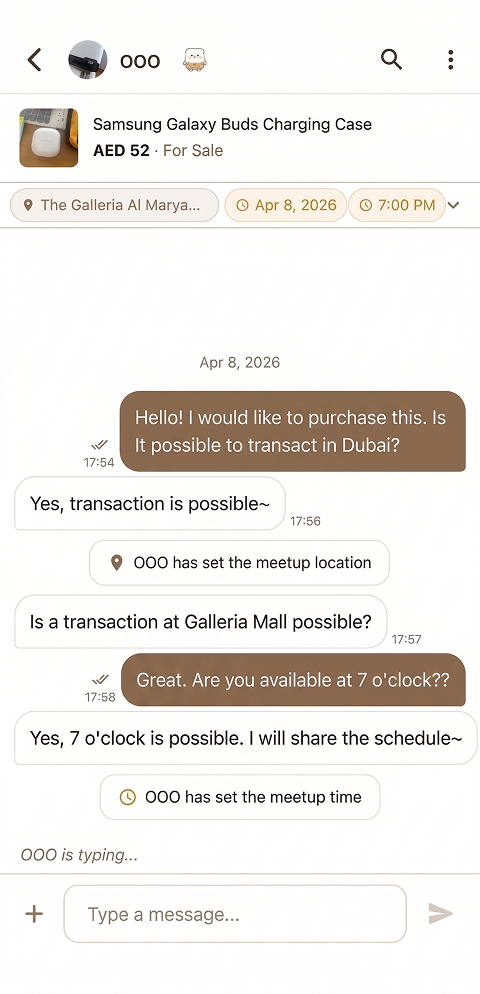
Send a price offer and use 1-on-1 chat with pinned meeting place and time.
Phone verification, report/block tools, and post-trade reviews build a 10-tier manner score.
No more reposting the same item in every chat group or community board. List it once on DUBU, then share it wherever you need with a single tap.
Upload photos, rewrite the description, copy it all again…
Create one listing on DUBU and share it wherever your community is.
Five steps — your post lands in a chat room in about 30 seconds.
DUBU gets better as more neighbours show up. Here's what works today, what's coming, and what shifts when you send us a note.
Snap a photo and AI drafts your listing, then negotiate over 1-on-1 chat. Manner scores help you get to know your neighbours, from first offer to finished trade.
In the app right now
Partner shop perks nearby, neighbour meetups, smarter notifications — starting from trading, DUBU is growing into everyday neighbour services, one update at a time.
Next updates
Send a note from the app and the roadmap moves. Beta features open early too — good feedback gets a small thank-you back.
Listening right now
Free on both iOS and Android. After sign-up and phone verification, you can post, chat, and send price offers.